
Automation / Field notes
Automate Design Studies with Grasshopper and Miro
Publish parametric design outputs to Miro so teams can review, compare and discuss options visually.
A design study can generate alternatives quickly and still lose time preparing them for discussion. This workflow connects Grasshopper outputs to Miro so that options can enter a shared visual review space. The central idea is to automate the presentation work that sits between computation and conversation.
Try it yourself
Get the template in the community
Templates are hosted in Ontologic Academy on Circle. Follow the link, then sign in or create a community account to access the template and its instructions.
Design the comparison first
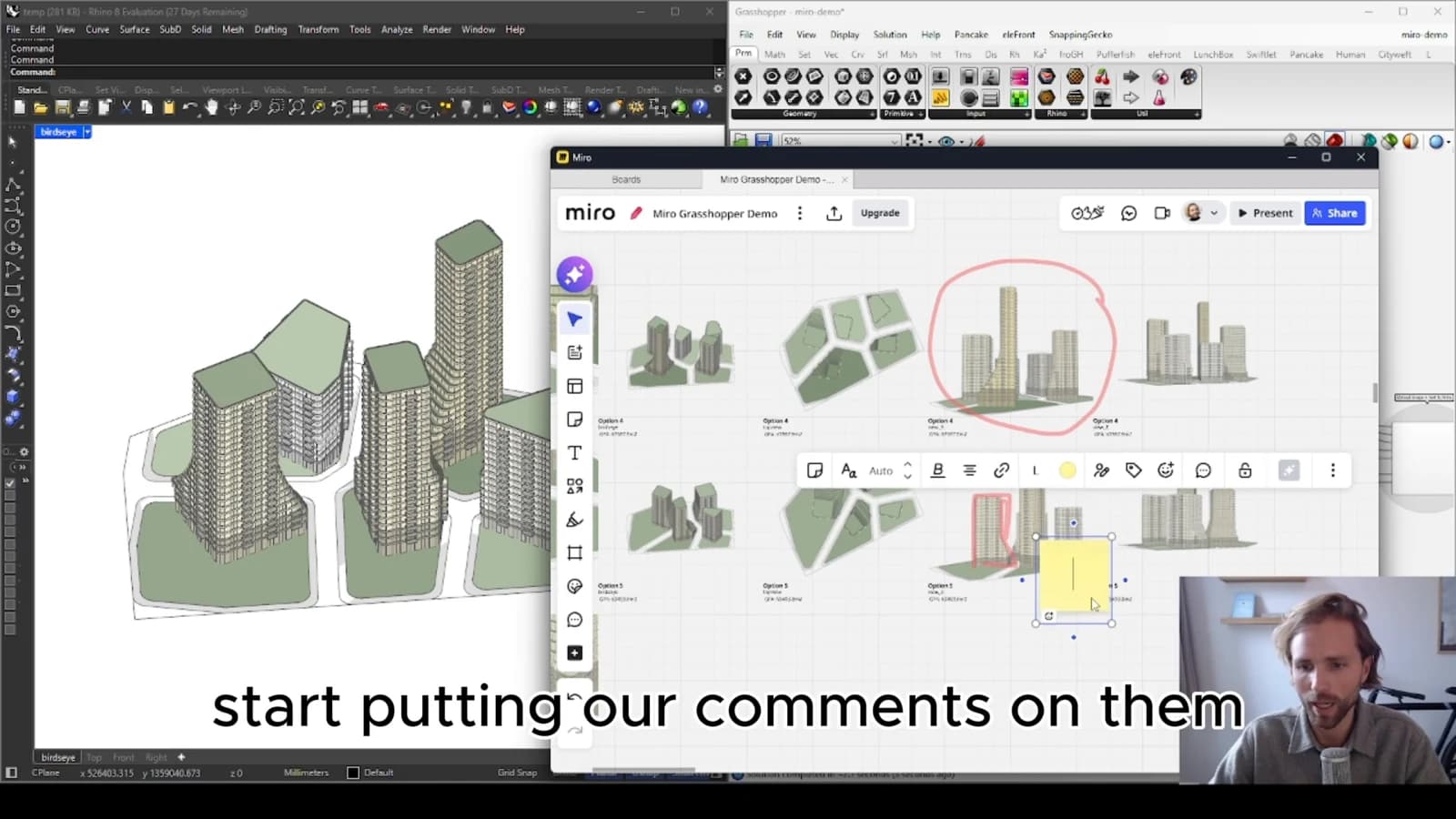
Before exporting a large set of options, decide how the team should compare them. Consistent viewpoints, labels and metrics help people see differences without relearning the presentation for every alternative. The layout is part of the study's logic.
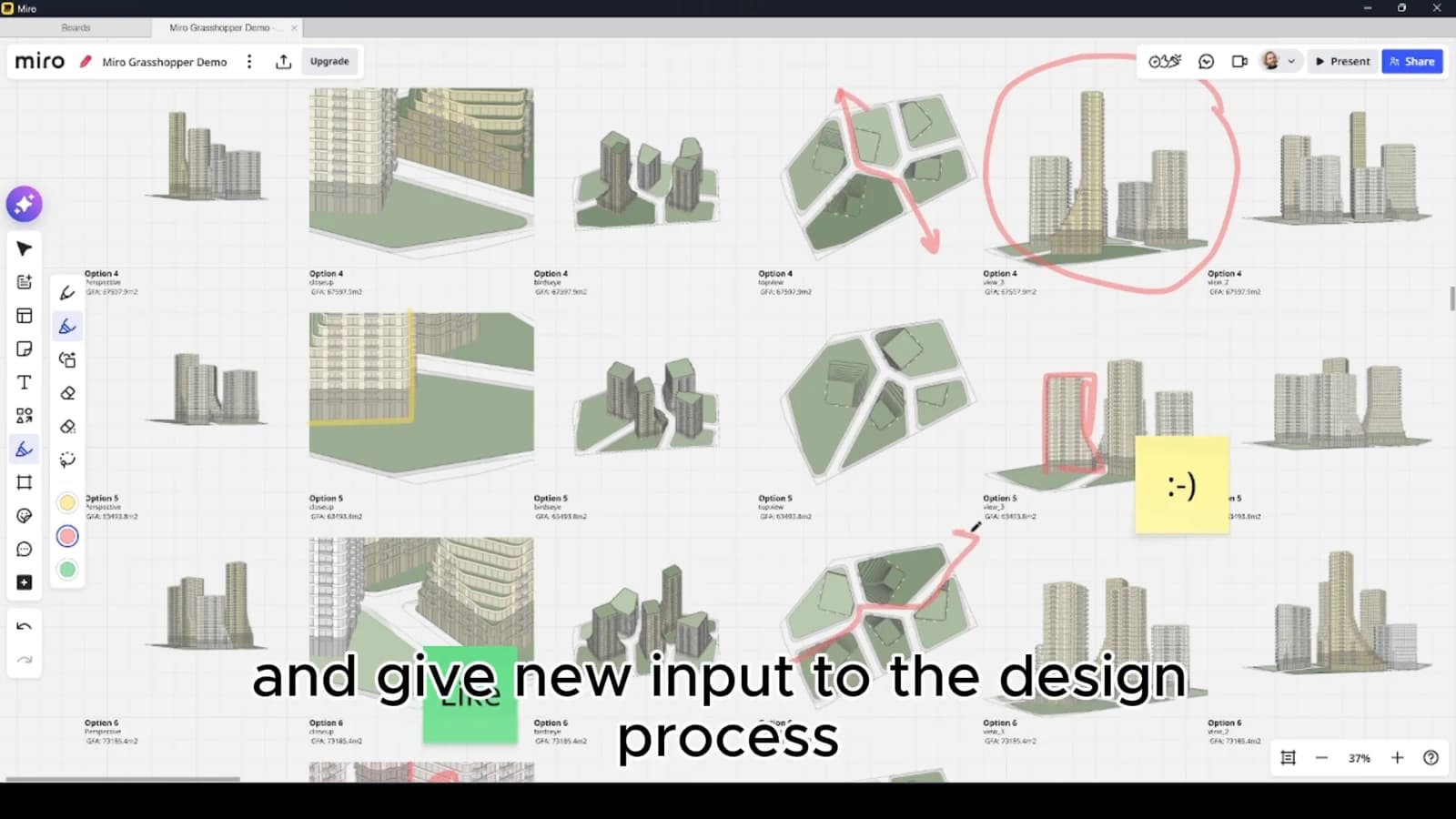
Choose a limited set of outputs that explain the relevant trade-offs. A board filled with geometry previews is not necessarily a useful review tool. Each option should carry enough context to connect its appearance to the assumptions that generated it.
Automate a repeatable handover
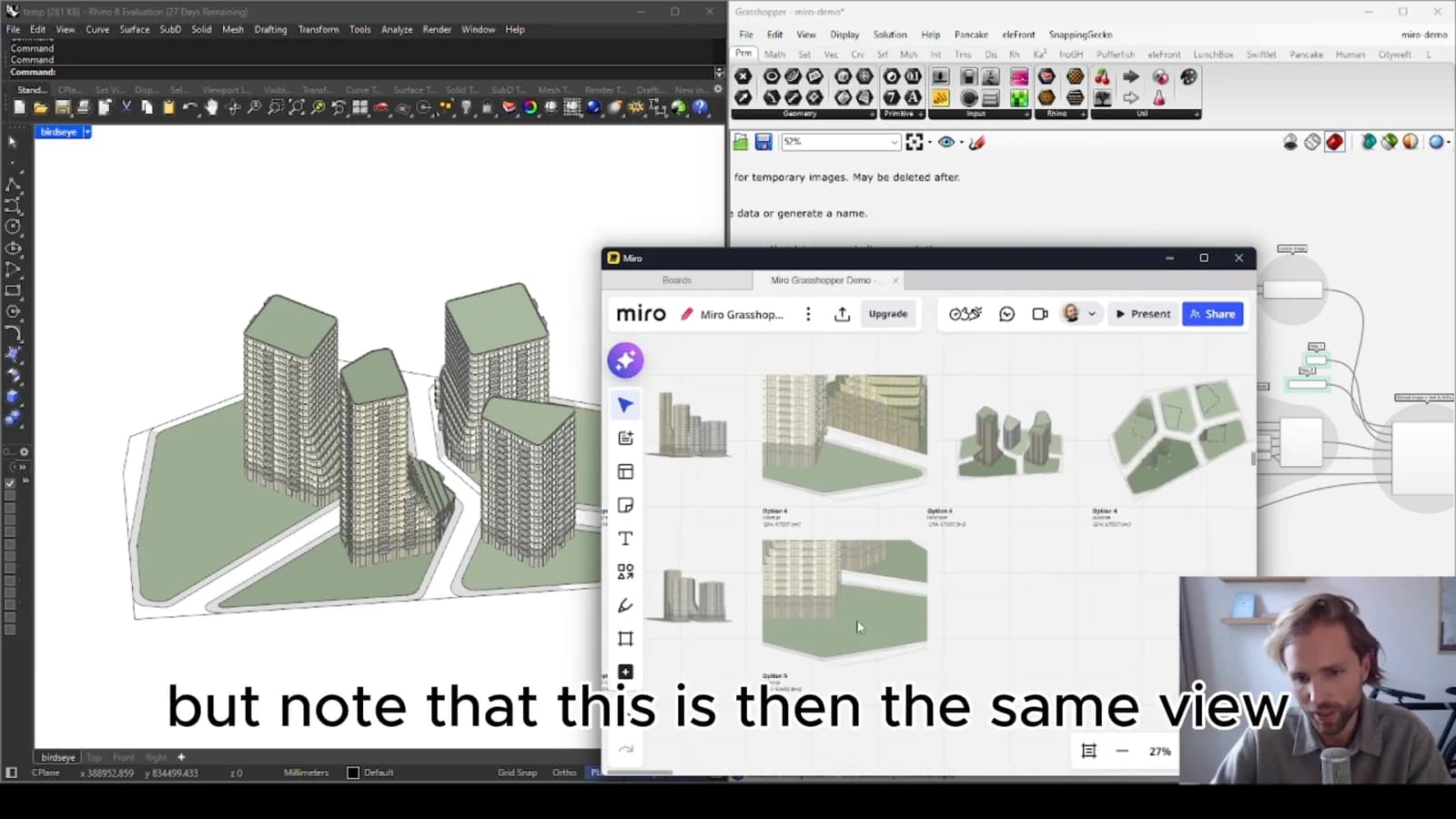
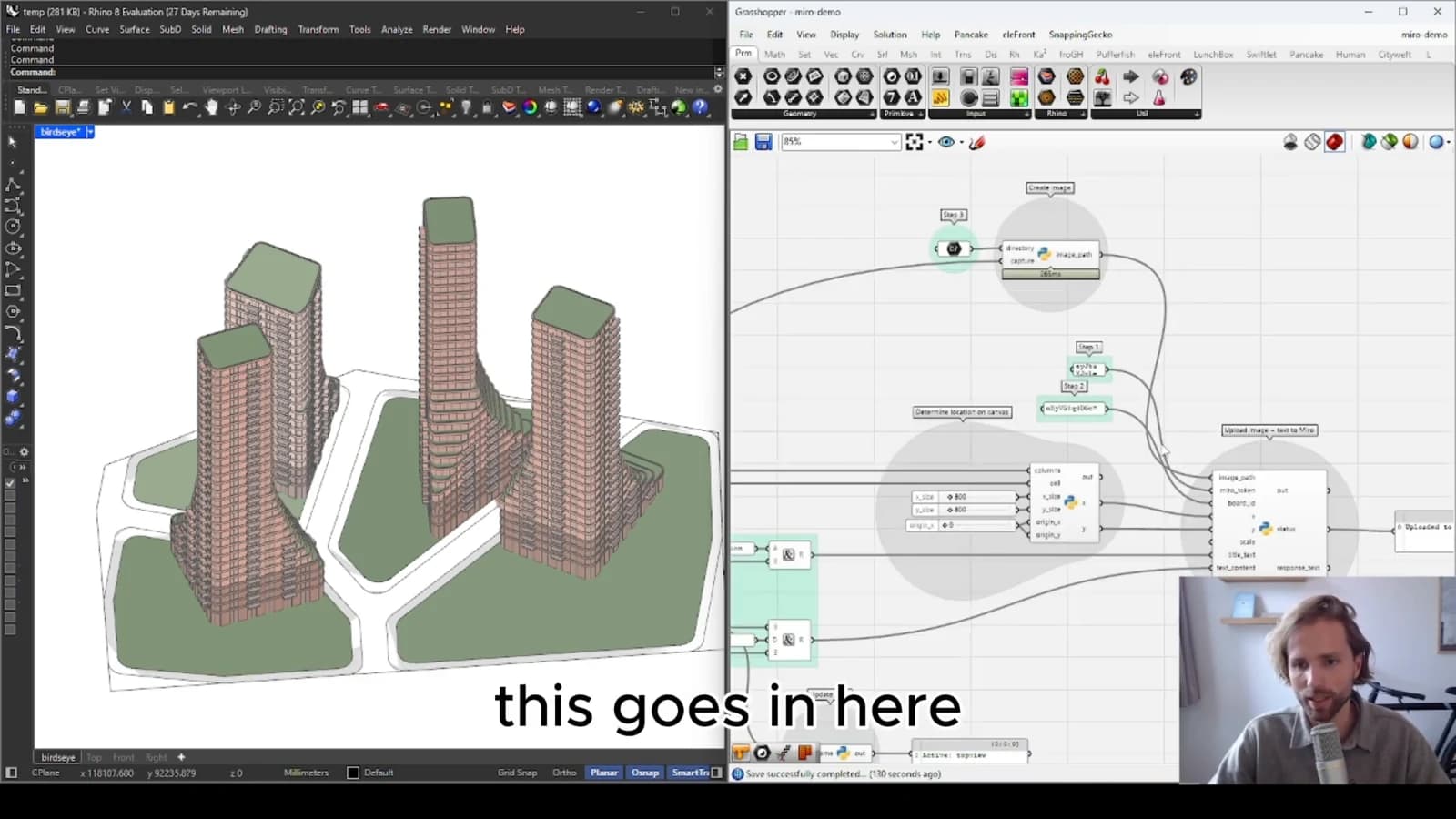
Grasshopper can provide the generated content, while Miro offers a shared surface for discussion. Treat the transfer as a publishing step with a clear destination and a consistent arrangement. This reduces the repetitive work of assembling comparable review material.
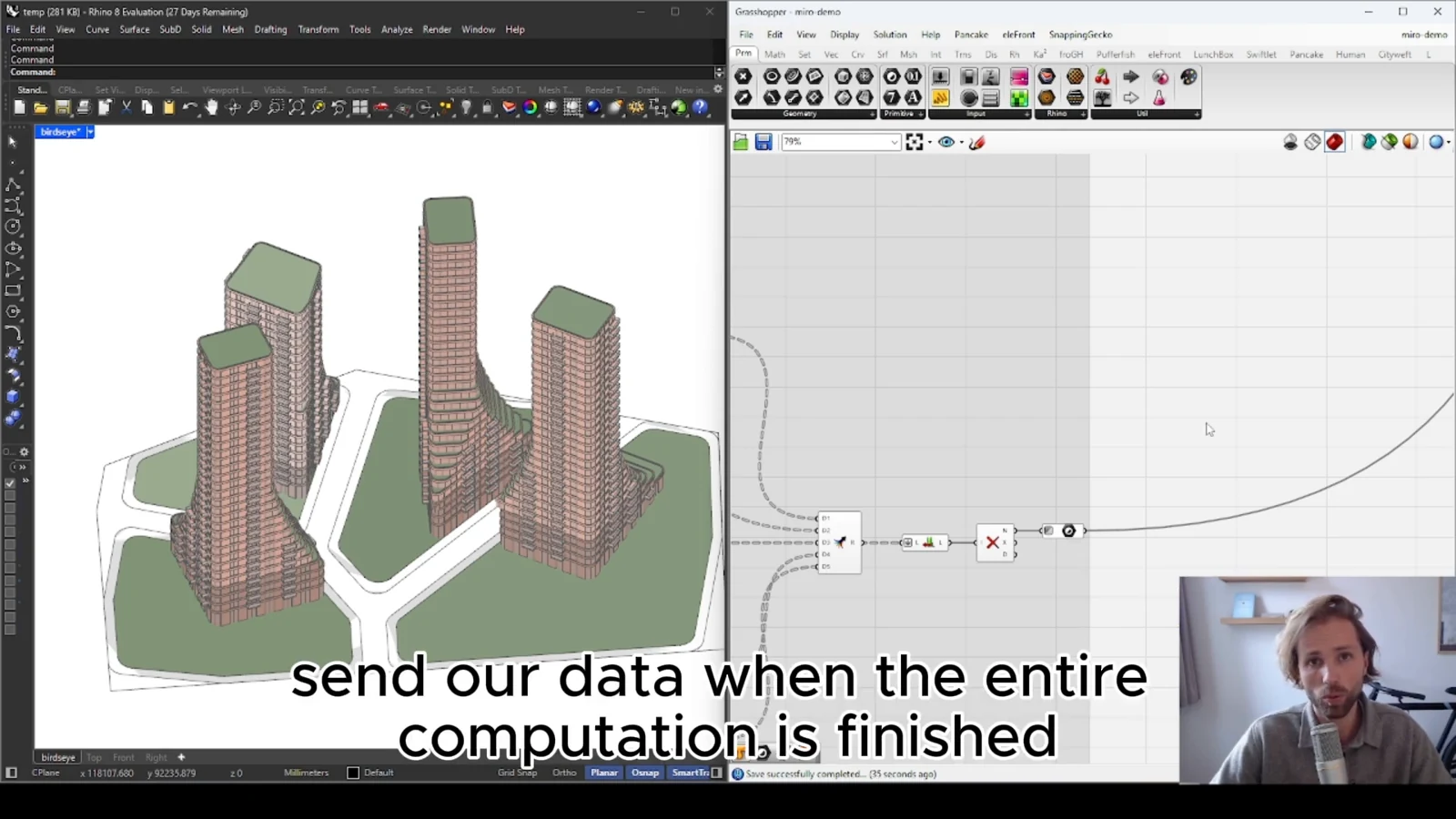
Stable option labels help connect comments on the board to the source model. When the study is regenerated, decide whether to publish a new group or update existing material. Avoid silently replacing the content that a previous comment referred to.
Measure success at the review
The useful outcome is a clearer design discussion, not simply a larger number of exported alternatives. Ask whether reviewers can identify an option, understand its differences and record an actionable response. If they can, automation has shortened the path from parametric exploration to a team decision.
From concept to canvas
See the workflow in practice
The companion video shows the model and the workflow behind these ideas. Watch the walkthrough when you want to see how the pieces connect.
Watch on YouTube